by

Building SOP version control matters when two employees give different answers to the same request. One uses the updated procedure while the other follows an older printout. Residents experience inconsistent service even though both employees believe they are following instructions.
A shared folder alone does not resolve the problem. People need to know which document is current, who owns it and what changes when a new instruction takes effect.
Start building SOP version control with clear status
Distinguish drafts, approved documents, current versions and archives. Use an identifiable version and effective date. Names such as “final latest revision” make comparison difficult once copies have reached different devices or desks.
Give each procedure an accountable owner. Changes to contact details, operating hours or approval routes need an appropriate review. The date a file was uploaded is not necessarily the date the instruction becomes effective.
Maintain a short control register
Record the document identifier, title, owner, version, effective date, approver, official storage location and review date. Include a brief change summary so staff do not need to compare every page to understand what is different.
The ISO guidance on documented information discusses the creation and control of records. It provides a management reference; the register proposed here is an editorial workflow for property teams rather than a certification claim.
An illustrative change to moving hours
A property approves new moving hours from Monday. The official file is updated, but the copy at the security desk remains unchanged. Uploading the file is only one step: brief affected staff, replace the old printout and check resident-facing instructions. This is an illustrative process, not a customer case study.
Withdraw superseded copies where work happens
Identify the points of use: reception, security, engineering and team folders. Assign someone to replace printed copies and prevent archived versions from being used as active instructions. Retain history where needed, but label its status clearly.
Review the apartment resident handbook as well. A change to an internal procedure may affect the information residents rely on. Align those instructions before announcing the new process.
Check understanding with one real task
Use a short briefing to ask how an affected request would be handled. Staff should be able to find the current instruction and explain the next action. That reveals both forgotten copies and wording that remains difficult to use.
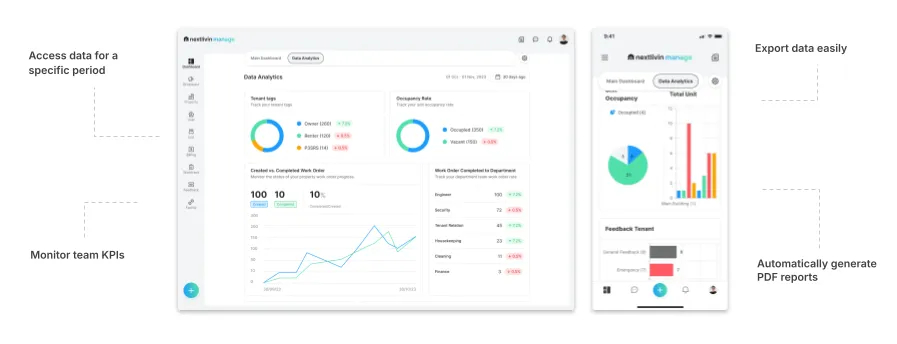
During a Nextlivin data and document management demo, discuss internal document storage and team access needs. Ask explicitly about the version, approval and distribution arrangements you require instead of assuming they are automatic.
Frequently asked questions
How often should procedures be revised?
Review them when processes, contacts, equipment or operating findings change. Establish a periodic review appropriate to the property, without creating a new version merely to refresh a date.
Does every revision need extensive training?
No. Match the briefing to the effect of the change. Affected employees need to understand what is different, when it applies and where the official instruction can be found.
Explore your workflow with Nextlivin
Bring one operational example without residents’ personal data. Book a demo or meeting on Nextlivin WhatsApp at +62 818-958-899 to discuss building SOP version control. To try the workflow with your team, explore the Nextlivin free trial and confirm its scope and terms with the team.